A softer kind
of screen.
The still-image E Ink display has a paper-like texture. Black, white, red and yellow pigments give your photos their own character.
MEET VIDABAY SNAP / CLASSIC PLUS
A battery-free E Ink photo magnet that gives your favorite moments a place in everyday life.
Choose a photo. Make it your own. Keep it close — and change it when a new memory comes along.
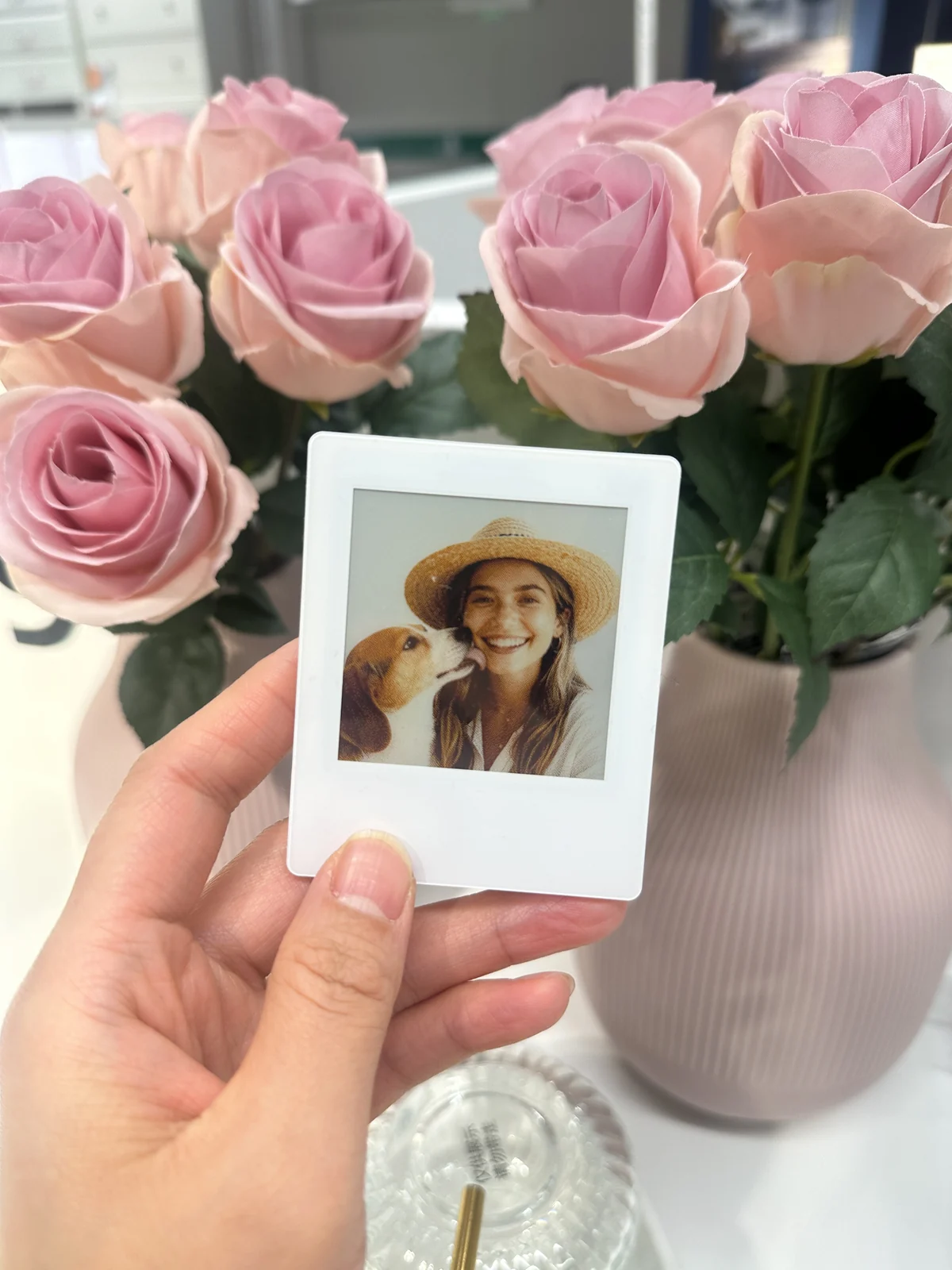
Battery-freeThe picture stays between updates
Four-color E InkA distinctive, paper-like look
Magnetic backingFor suitable magnetic surfaces
SMALL FRAME. PERSONAL MEANING.
A family photo, a favorite trip, your pet’s best pose. Snap brings an image out of your camera roll and into the spaces you see every day.
The still-image E Ink display has a paper-like texture. Black, white, red and yellow pigments give your photos their own character.
A compatible phone supplies the energy for an NFC image update. The magnet keeps the image visible between transfers without a battery.
Energy for the update. No power needed to hold the image.Choose, crop and adjust your image in the VidaBay Snap app. Reuse the same magnet for your next favorite memory.
One frame. Plenty of moments to make it yours.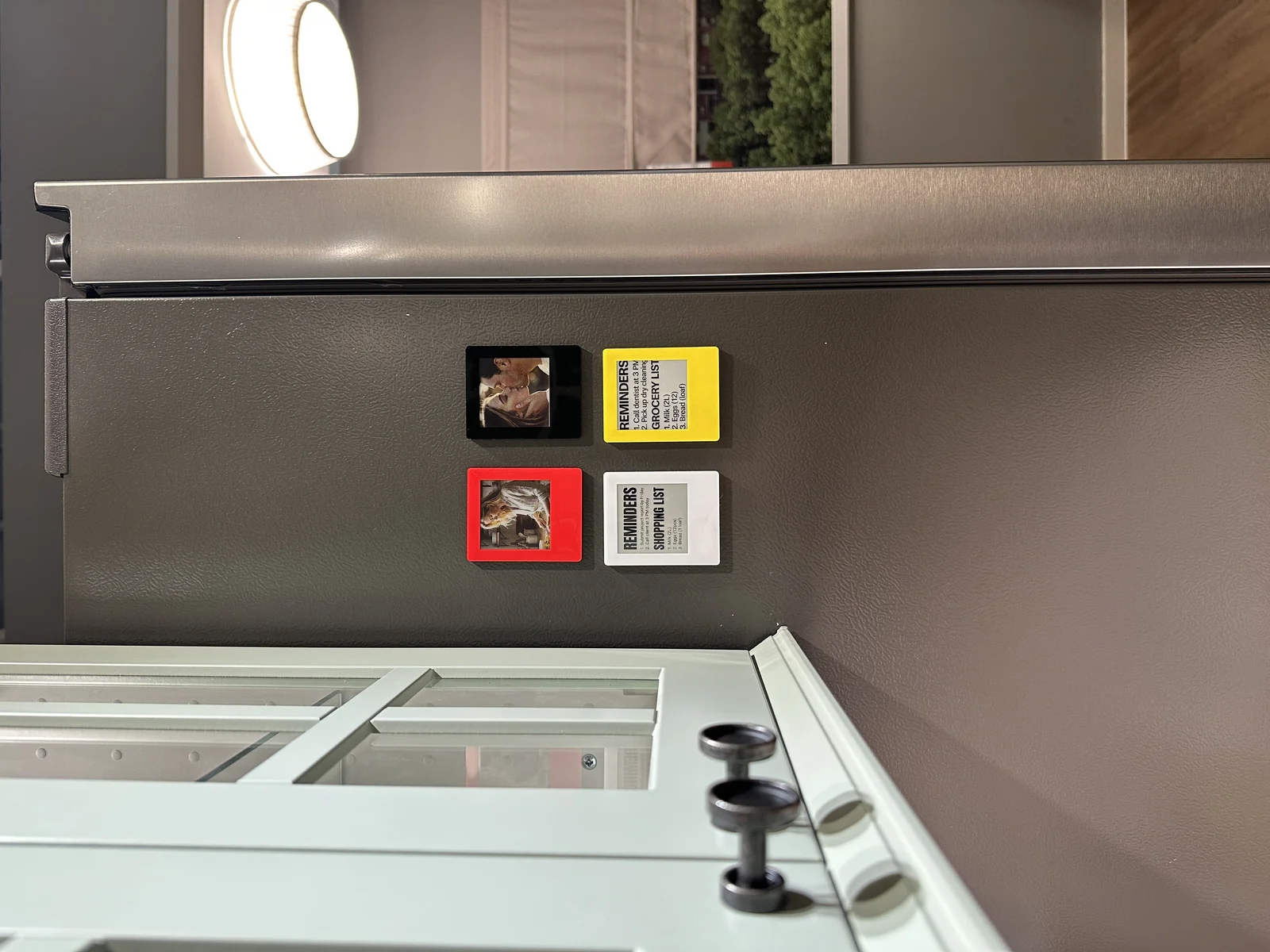
MAKE ROOM FOR WHAT MATTERS
Keep a loved one close, revisit a trip or put a reminder where you’ll see it. The slim magnetic frame fits into daily life on fridges, whiteboards and other receptive metal surfaces.
Four frame colors to explore. Frame color is separate from the display’s four-pigment palette; available quantities are confirmed with Austin.
A PHOTO, AN APP, YOUR SNAP
Update your photo with the VidaBay Snap app and a compatible phone.
Pick a favorite image from your phone and crop it to the square display.
Adjust the image and preview its color or black-and-white treatment in the app. E Ink looks different from a phone screen.
For direct NFC transfer, align your compatible phone with Snap and hold both still until the update finishes. Remove the phone case if needed for alignment.
Manufacturer guidance lists iPhone 13–17 for direct NFC use. Android requires a separate Bluetooth Image Dock with external power; confirm availability and compatibility.
Official setup guide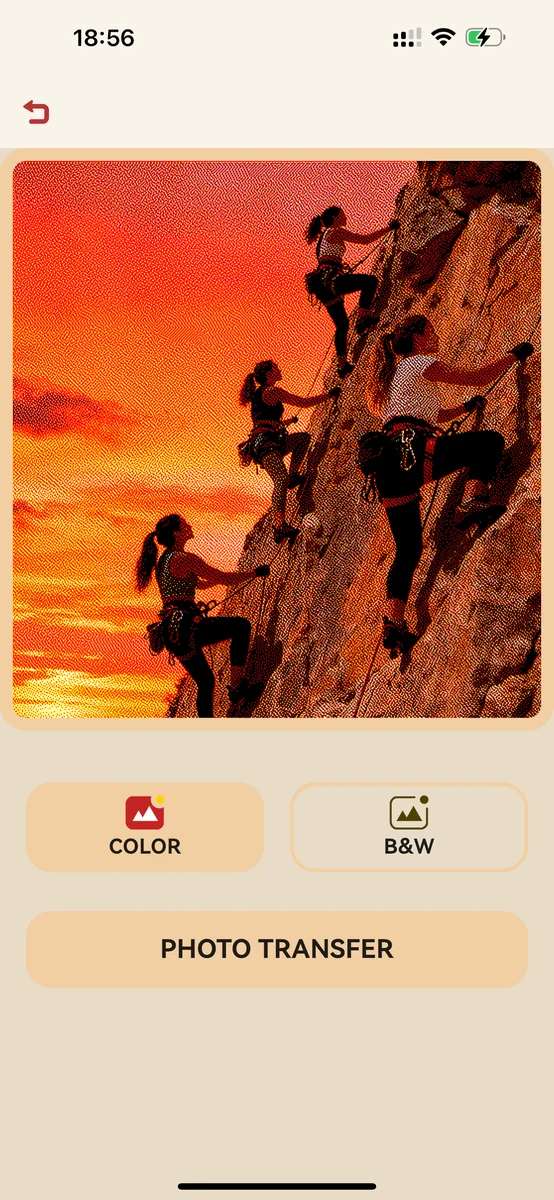
VidaBay Snap app shown. The final E Ink image has its own four-color appearance.
GET TO KNOW SNAP
Instant-photo styling. A square E Ink display. A slim body with magnetic backing.
Snap uses black, white, red and yellow pigments. Blue and green are interpreted within that palette, so a transferred image won’t match every color on your phone.
PHOTO & SETUP NOTES
For detailed demonstrations and model-specific guidance, use VidaBay’s official resources.
Use the app’s square crop and keep faces and important details inside it. Preview the result before transfer. The four-pigment display gives images a textured look; blue appears as gray and green is represented using yellow and gray.
VidaBay recommends a phone battery level of at least 30%. Remove the case, align the NFC areas, and hold the phone and magnet still until the app confirms completion. If it still fails, update and restart the app, then try another photo before retrying the original. Contact Austin with your phone model, system version and error message for help.
The separate Bluetooth Image Dock needs a 5V USB-C power source, with the phone within 1 meter for transfer. It also works as a stand. The photo magnet itself is battery-free. The dock is not included in the magnet offer; confirm compatibility and availability with Austin. Manufacturer dock details.
A PERSONAL REASON TO GIVE
Make a small gift feel personal with a photo that means something. Think family gatherings, holiday hosts, birthdays — or a moment you simply want to keep for yourself.
The photo is what makes it yours. Confirm phone compatibility when planning a gift.
NOW THAT YOU’VE MET SNAP
Explore color assortments, merchandising ideas and demonstrations for your Florida locations. Connect with Austin for a wholesale quote.
Explore VidaBay for retailersFOR PERSONAL ORDERS & GIFTSChoose your mix of frame colors and request a Florida order.
Explore colors & the consumer offerYOUR VIDABAY FLORIDA CONTACT
Ask Austin about the product, availability or a retail introduction.